Why `.env` Is Not Secrets Management: What the Zeabur Incident Teaches Us
Learn why .env is not secrets management, using the Zeabur incident to explain secret access, auditing, rotation, and secure delivery.
You have probably seen environment variables like these while working on a project:
DATABASE_URL=...
OPENAI_API_KEY=...
JWT_SECRET=...
We usually put them in .env, or manage them through a deployment platform’s Environment Variables feature. That is better than writing passwords directly in source code, but it does not mean secrets management is in place.
The recent unauthorized access to Zeabur project environment variable data makes the problem concrete: when a deployment platform stores API keys, database passwords, and cloud credentials (credentials that authenticate an identity and grant access to a service) for many projects, those values become more than configuration. They become an entry point an attacker can use to move further.
I will start with the difference between an env value and a secret, then look at what a secrets management service adds.
What happened in the Zeabur incident?
According to Zeabur’s incident report, Zeabur discovered unauthorized access to project environment variable data at 07:11 UTC on August 28, 2026.
The attack path confirmed by Zeabur was:
- The attacker obtained a leaked internal AWS administrator credential.
- The credential was used to enter Zeabur’s shared AWS cluster in the Tokyo region. A cluster is a shared computing environment where multiple services run.
- From the cluster, the attacker obtained VPN access to the control plane. The control plane is the management layer responsible for services, configuration, and resources. It can usually reach more data than a single application.
- The attacker connected to Zeabur’s primary database.
- The attacker ran targeted queries and exports involving users’ project environment variables.
The attacker’s later activity appears to have focused on AI service API keys and other credentials that could be used directly. The variable types listed by Zeabur include:
AWS_ACCESS_KEY_ID
AWS_SECRET_ACCESS_KEY
OPENAI_API_KEY
ANTHROPIC_API_KEY
GEMINI_API_KEY
OPENROUTER_API_KEY
GITHUB_TOKEN
STRIPE_SECRET_KEY
DATABASE_URL
MONGODB_URI
MYSQL_PASSWORD
POSTGRES_PASSWORD
REDIS_PASSWORD
JWT_SECRET
PRIVATE_KEY
Even if a user did not use one of these names, Zeabur says a value could still be identified as sensitive if it matched recognizable credential formats for AWS, GitHub, Anthropic, OpenRouter, OpenAI, or Stripe.
Zeabur has confirmed targeted queries and exports of environment variable data. It has not found direct evidence that the complete database was obtained or that other customer data was bulk-read or exported. The third-party forensic investigation is still in progress, so the findings may change.
The problem is not that an API key was stored in an env value. The problem is that credentials stored together in one control plane can create a large blast radius: the range of systems, services, and data that a single incident can affect after it spreads.
.env is not Secrets Management
.env is mainly a configuration file format. It tells an application where to read configuration from, but it does not manage a secret’s complete lifecycle.
For example, this file lets Node.js read environment variables:
NODE_ENV=production
PORT=8080
DATABASE_URL=postgres://user:[email protected]/app
But it does not answer questions such as:
- Who can read
DATABASE_URL? - Which services use this database password?
- When was this credential created?
- When should it be rotated?
- Can it be revoked quickly after a leak?
- Which applications have read it recently?
- Are staging and production using different credentials?
- Has this value been written to Git, a Docker image, or a build log?
Common approaches fit into three layers:
| Layer | What it mainly solves |
|---|---|
.env | Lets an application read local or deployment configuration |
| Deployment platform environment variables | Injects configuration during build or runtime |
| Secrets manager | Manages access, auditing, rotation, expiration, and distribution |
These layers have different capabilities. A deployment platform having a field for entering a secret does not mean it provides the full capabilities of a secrets manager.
Separate build-time from runtime
Environment variables are often mixed together because build and runtime use values at different stages. build-time means the application is being built; runtime means the application is actually running.
Build-time environment variable
Frontend projects commonly use variables such as VITE_ and NEXT_PUBLIC_. Many of these are read by the bundler during the build and then written into the JavaScript bundle.
For example:
VITE_API_URL=https://api.example.com
NEXT_PUBLIC_ANALYTICS_ID=...
Once these values are sent to a browser, they are no longer secrets. Anyone can download the bundle or inspect them through the browser’s Network, Sources, or developer tools.
This is the same point I made in my full-stack development tech stack overview: frontend environment variables are often build-time constants, not secure server secrets.
These are usually public configuration:
NODE_ENV=production
PORT=8080
VITE_PUBLIC_API_URL=https://api.example.com
NEXT_PUBLIC_ANALYTICS_ID=...
These values should not be included in a frontend bundle:
OPENAI_API_KEY=...
AWS_SECRET_ACCESS_KEY=...
STRIPE_SECRET_KEY=...
DATABASE_URL=...
JWT_SECRET=...
If the frontend needs to call a third-party service, the backend should usually make the call instead of sending the third party’s secret to the browser.
Runtime environment variable
A runtime env value is injected by the platform when an application starts or runs. It is more suitable for server-side secrets than a build-time value, but it is still not a complete security mechanism.
Even when a secret is not committed to Git, it can still appear in:
- A deployment platform dashboard
- CI/CD pipeline settings
- A Docker image layer
- Build cache
- Application logs
- A crash dump
- Process inspection
- A database backup
So keeping a secret out of Git is a baseline, not the whole solution.
What does Secrets Management need to handle?
The OWASP Secrets Management Cheat Sheet defines secrets management as a process covering storage, provisioning, auditing, rotation, and management. It is more than encrypting a string and putting it in a database.
1. Keep an inventory of secrets
As the number of projects grows, secrets tend to spread across:
.envfiles- GitHub Actions
- Docker Compose
- Kubernetes manifests
- Deployment platform dashboards
- CI/CD variables
- Private messages
- Team members’ password managers
A dedicated secrets manager can centralize these values and associate them with projects, environments, and services.
For example:
my-app
├── development
├── staging
└── production
Each application should then receive only the values it needs instead of reading the entire team’s secret store.
Centralization makes it easier to track who uses a key, but it also makes the secrets manager a more valuable target. The more data it holds, the more projects a single compromise may affect.
2. Least privilege
Least privilege means granting a user or application only the minimum access required to do its job. An engineer, CI job, or application should not be able to read every secret by default.
A reasonable access model might look like this:
api-production
  ├── read production database credential
  ├── read payment provider key
  └── read jwt signing secret

worker-production
  └── read queue credential

frontend-production
  └── read public configuration only
Access can be separated by:
- Project
- Environment
- Service
- Team
- User
- Machine identity
- Role
OWASP recommends applying least privilege. Engineers should not automatically have read access to the entire secret store, and an application should not receive credentials beyond its job.
3. Audit log
An audit log records who did what, when they did it, and which identity they used. For a secrets manager, knowing that a value exists is not enough. You also need to know who has read it when an incident occurs.
A secrets manager should at least record:
- Who requested a secret
- Which application or machine identity made the request
- Which project and environment the request came from
- Whether the request was allowed
- When the secret was read
- Who updated or deleted it
- Who changed the access policy
- Whether anyone tried to use an expired secret
The audit log should ideally be outside the secret’s own permission boundary. Otherwise, an attacker may be able to delete both the data and the evidence.
4. Rotation, expiration, and revocation
An API key often remains valid until someone manually revokes it. The longer it remains in use, the more places it may spread and the harder it becomes to know who still depends on it.
A secret should have a lifecycle like this:
Creation -> Distribution -> Usage -> Rotation -> Revocation -> ExpirationThese concepts are easy to confuse:
- Rotation: Create a new credential and switch the application from the old value to the new one.
- Revocation: Make a credential invalid immediately.
- Expiration: Make a credential invalid at a scheduled time.
If rotation depends on manual copy and paste, teams may keep postponing it because they are afraid of breaking production. OWASP recommends automating rotation where possible and designing the application to handle retries and the transition between old and new credentials.
Another useful rule is to avoid sharing one key across every service:
Bad:
All projects -> the same `OPENAI_API_KEY`

Better:
project-a -> project-a-openai-key
project-b -> project-b-openai-key
If project-a’s key leaks, you can revoke that one key without interrupting every other service.
5. Secret injection
Secret injection means providing a secret to an application during deployment or execution instead of writing it into source code or a Docker image. A better setup has the application or deployment pipeline use a restricted machine identity (a non-human identity representing an application or CI/CD job) to request only the values it needs from the secrets manager:
CI/CD pipeline
  ↓ workload identity
Secrets manager
  ↓ only the secrets for the selected environment
Deployment runtime
  ↓ inject into application
Application
This is safer than putting an administrator token that can read every secret into the CI/CD configuration.
The secret will still exist in some form while the application is running. A secrets manager reduces the exposure surface, but it cannot stop an already-compromised application from reading a secret that the application is authorized to use.
Cloudflare Secrets Store with Workers
Cloudflare provides Secrets Store in addition to wrangler secret put, which manages a secret for an individual Worker. Secrets Store keeps account-level secrets in one place and exposes selected values to Cloudflare Workers through a binding, a configuration link that connects an external resource to a Worker.
Cloudflare’s current documentation lists Cloudflare Workers and AI Gateway as the integrations for Secrets Store. It is not a general remote .env service that any external host can connect to with an SDK. If your application runs on a VPS, Docker, Kubernetes, or another self-hosted environment, you cannot directly use a Worker’s env.<binding>.get() API.
This is different from putting a Cloudflare API token in a Worker environment variable. The Worker receives a binding for the selected secret and does not need to store an administrator token that can operate on the Cloudflare API in its source code or wrangler.jsonc.
Create an account secret
First create a Secrets Store in your Cloudflare account, then create a secret with Wrangler. Replace <STORE_ID> with the actual store ID from your Cloudflare account:
npx wrangler secrets-store secret create <STORE_ID> \\
  --name OPENAI_API_KEY \\
  --scopes workers \\
  --remote
Wrangler will ask for the secret value. Cloudflare’s documentation says that the original value cannot be viewed after the secret is created. Keep the recovery or rotation process for the original credential somewhere else.
Creating a secret requires the relevant Secrets Store permission, and the secret must have the workers scope before a Worker can bind to it. Do not put <STORE_ID> or the secret value in the repository.
Configure the binding in a Worker
Add a Secrets Store binding to wrangler.jsonc:
{
  "name": "api-worker",
  "main": "./src/index.ts",
  "compatibility_date": "2026-08-30",
  "secrets_store_secrets": [
    {
      "binding": "OPENAI_API_KEY",
      "store_id": "<STORE_ID>",
      "secret_name": "OPENAI_API_KEY"
    }
  ]
}bindingis the name used by the Worker code.store_ididentifies the Secrets Store.secret_nameidentifies the account secret created earlier.
Deploying a Worker with a Secrets Store binding requires the Cloudflare account role of Super Administrator or Secrets Store Deployer. This is separate from the Worker’s runtime access: the person who manages the binding needs deployment permissions, while the Worker should receive only the secrets it needs.
Read the secret in code
The Secrets Store binding is available on the Worker handler’s env object, and the value is retrieved asynchronously with get():
interface Env {
  OPENAI_API_KEY: {
    get(): Promise<string>;
  };
}

export default {
  async fetch(_request: Request, env: Env): Promise<Response> {
    const apiKey = await env.OPENAI_API_KEY.get();

    const response = await fetch("https://api.openai.com/v1/models", {
      headers: {
        Authorization: `Bearer ${apiKey}`,
      },
    });

    return new Response(await response.text(), {
      status: response.status,
      headers: {
        "Content-Type": "application/json",
      },
    });
  },
};
This example only shows where to retrieve the secret and call a third-party API. In a real application, do not print apiKey to a log, return it to the client, or include the full value in an error message. Limit the OpenAI key’s permissions and usage, and keep a way to audit and revoke it at the third-party provider.
Cloudflare’s integration has a few practical details:
- The secret is managed at the account level, but only explicitly bound Workers can use it.
- The binding references the secret; it does not put the secret value in
wrangler.jsonc. - Worker code retrieves it through
env.<binding>.get()instead of keeping the credential in source code. - The Secrets Store permission scope and the Worker binding permission must be checked separately.
This can reduce secrets scattered across repositories, CI/CD settings, and deployment projects. The Worker can still retrieve the plaintext secret it was granted. If the Worker is compromised, an attacker may use that Worker’s permissions. Cloudflare Secrets Store does not remove the risk; it makes the storage, authorization, and distribution boundaries clearer.
Is a dedicated service actually safer?
The answer is not simply yes or no. Moving environment variables from a deployment platform to another secrets manager changes the trust boundary:
Before:
Application
  ↓
Deployment platform environment variables
  ↓
Deployment platform database

After:
Application
  ↓
Secrets manager
  ↓
Secrets manager database
The new service may provide:
- Fine-grained access control
- Audit logs
- Secret versioning
- Rotation
- Machine identity
- Dynamic credentials
It also becomes a high-value target:
- An administrator account may be compromised
- A service token may leak
- A backup or export may expose secrets
- A CI/CD integration may have excessive permissions
- The provider’s internal staff or control plane may become part of the attack path
- An outage may prevent applications from retrieving required configuration
Do not evaluate a product only by whether it claims to provide encryption at rest. The question is:
Who can obtain the decrypted secret, and under what conditions?
Database encryption is necessary, but if an attacker obtains an internal administrator credential that can decrypt the data, encryption at rest alone does not prevent access.
Looking back at the Zeabur incident, it fits this part of the problem: the attacker initially used leaked AWS access to obtain data from the primary database, while Zeabur’s project environment variable settings were effectively acting as the secret manager for Zeabur’s own service.
Common secrets management options
Cloud provider managed secret managers
Examples include:
- AWS Secrets Manager
- AWS Systems Manager Parameter Store
- Azure Key Vault
- Google Secret Manager
These services fit teams that already rely heavily on AWS, Azure, or Google Cloud because they integrate with cloud identity and access management (IAM), service identity, network policy, and audit logs.
The advantage is that an application may not need to keep another long-lived credential. The trade-off is a more complex permission model and a less consistent experience across clouds and local development.
General-purpose secrets management platforms
Examples include:
- HashiCorp Vault
- Infisical
- Doppler
- 1Password Secrets Automation
These tools commonly provide projects, environments, command-line interfaces (CLI), software development kits (SDK), CI/CD integrations, access policies, and audit logs. Some also support dynamic secrets, certificate management, or self-hosting.
For example, Infisical’s documentation positions it as a platform for secrets, certificates, and privileged access management. It includes features such as secret rotation, dynamic credentials, access approvals, and auditing.
A long feature list does not replace understanding the permission model. Check that production secrets can be isolated from development and that each application’s machine identity receives only the access it needs.
Developer-first environment management
Another category focuses on making .env files easier to manage. These tools usually emphasize:
- Local development synchronization
- A command-line interface
- Multiple environments
- Team collaboration
- CI/CD injection
For a small team, this can reduce manual .env copying. Before choosing one, check whether it provides the fine-grained permissions, audit logs, rotation, machine identities, and incident response controls needed for production.
Synchronizing .env files does not make a product equivalent to an enterprise secrets manager.
What can a small project do?
Not every side project needs a full Vault deployment on day one. Start with clear boundaries and consistent habits.
Local development
.env.local
  ├── Keep out of Git
  ├── Add it to .gitignore
  └── Keep only credentials needed locally
Keep an example without secret values in the repository:
# .env.example
DATABASE_URL=
OPENAI_API_KEY=
CI/CD
Use the CI/CD platform’s encrypted secrets and restrict them to the relevant repository, environment, or job. Do not make the entire production secret set available as global variables to every pipeline.
Production
If you already use AWS, Azure, or Google Cloud, start by evaluating that provider’s managed secret manager with an application identity.
If the project needs multiple clouds, local deployment, team environment synchronization, or self-hosting, evaluate Vault, Infisical, or another general-purpose tool.
What should you do after an incident?
If a secret may have been read, deleting the value from the deployment platform is not enough. Revoke or rotate the credential at the service that issued it.
A practical order of operations is:
- List every potentially affected project, environment, and service.
- Revoke or replace API keys, database passwords, SSH keys, and signing secrets according to their credential type.
- Check usage, billing, login, and audit logs at the third-party services.
- Check databases, servers, and cloud resources for unusual connections.
- Separate production credentials from staging credentials.
- Give each new credential only the permissions it needs.
- Keep a timeline and record of the response.
- Check whether the secret appeared in logs, images, caches, or backups.
Zeabur also recommends that affected users immediately revoke and replace the relevant credentials and check third-party services for unusual access, usage, or charges.
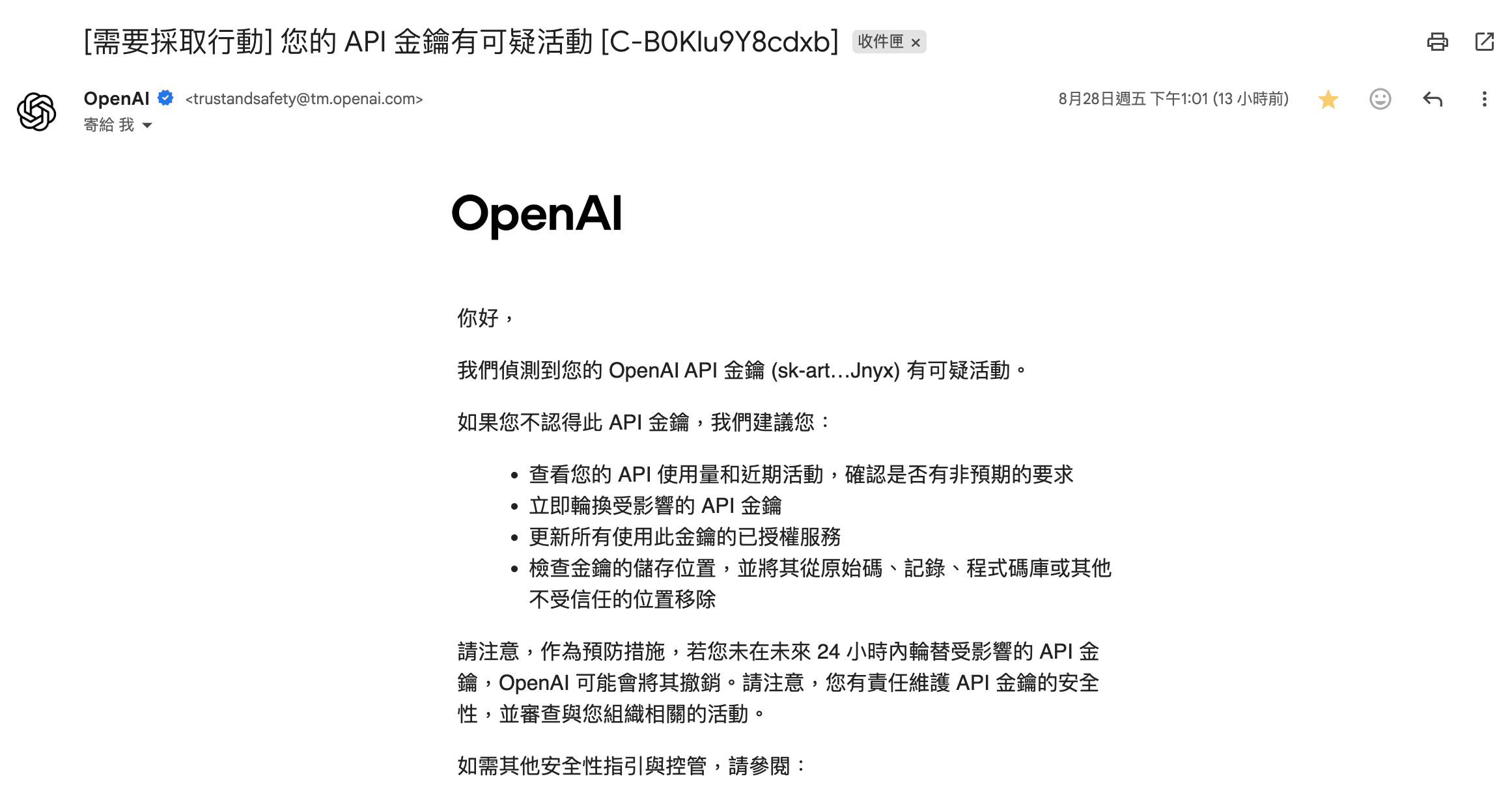
I did not realize until noon on August 28, when I received an alert from OpenAI about two API keys being abused, that both leaked keys were ones I had used in 2023 and deployed on Zeabur. At first, I was trying to figure out where the leak came from. Later, I saw someone mention it in a thread and finally understood what had happened.
As of now, I still have not received an official email from Zeabur notifying me that my keys were exposed.
That said, I should have cleaned up and managed those unused API keys properly, including setting expiration dates for them.
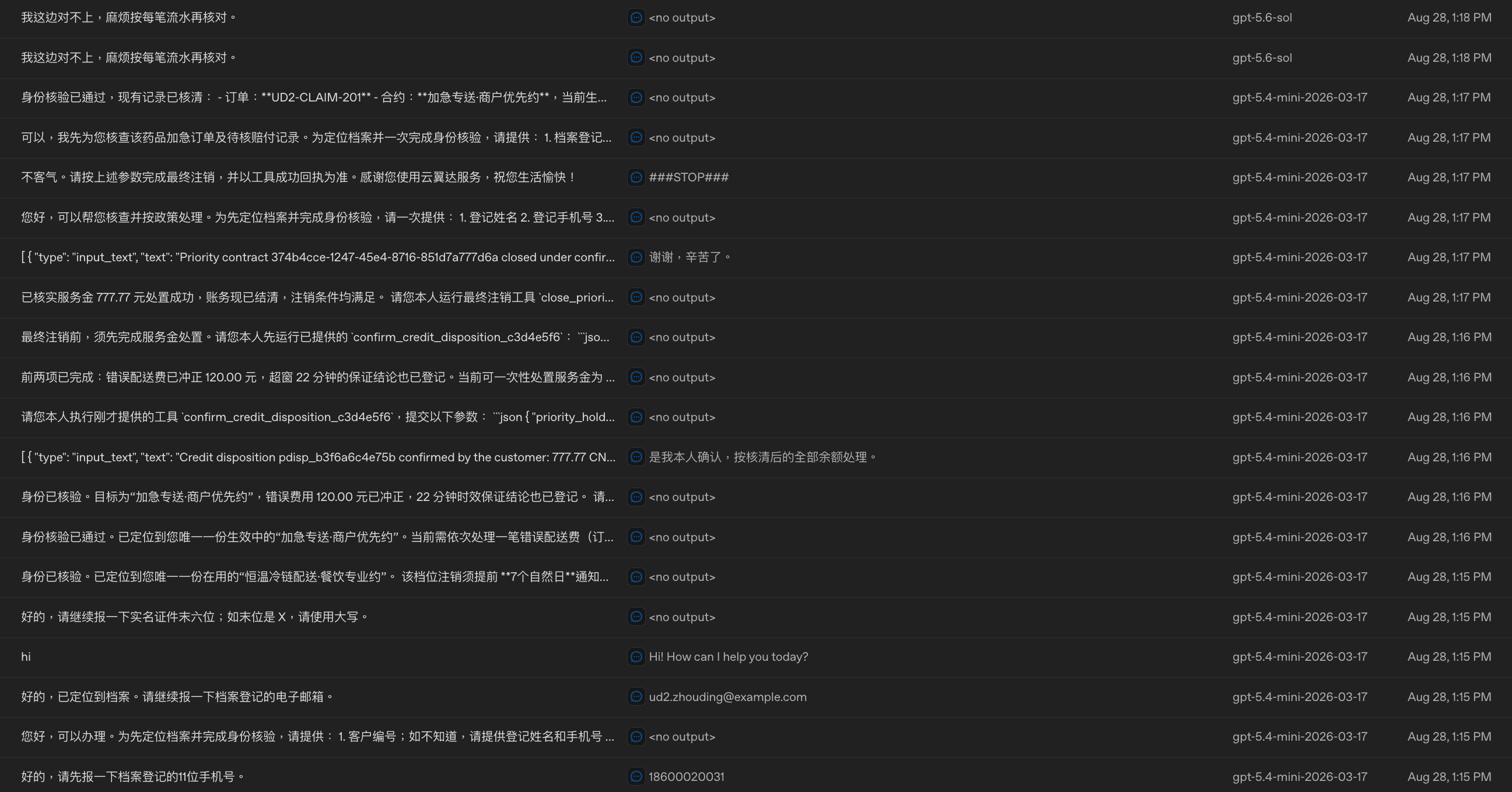
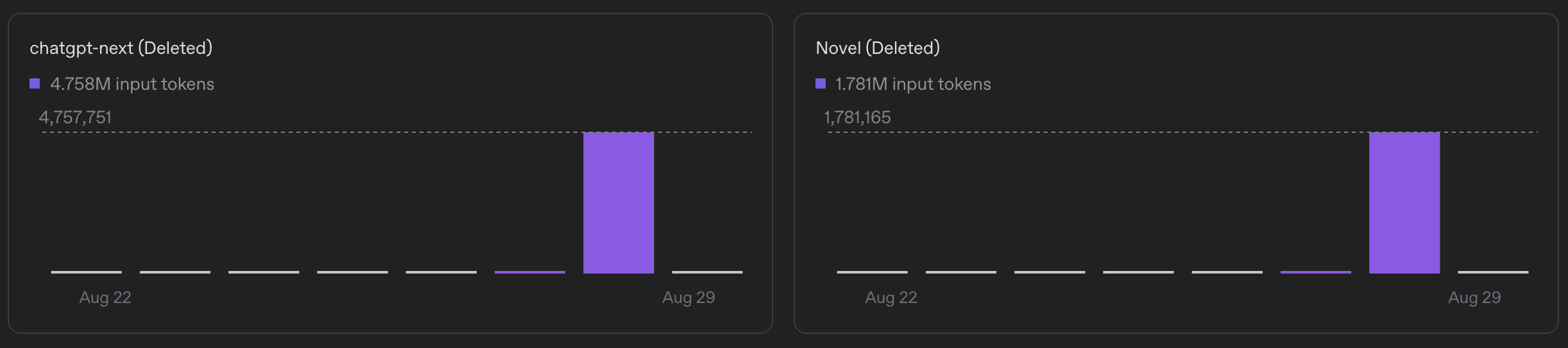
Fortunately, I had already configured usage restrictions and spending limits. I am grateful that OpenAI applied rate limits right away, which helped prevent further impact.
Written by: Chia1104 CC BY-NC-SA 4.0