My Website Is Under Attack:How I Use Cloudflare to Protect It
In the past, I rarely checked runtime logs unless I received an error alert. It was not until I suddenly noticed a large number of abnormal requests in my backend service logs that I realized the site might be under attack. In this article, I share how I built a complete protection strategy with Cloudflare WAF to effectively block malicious traffic.
Log Observation and Issue Discovery
When I checked the backend service logs, I noticed a series of suspicious requests like these:
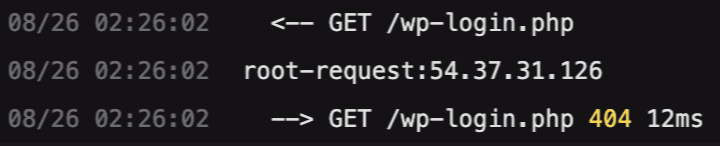
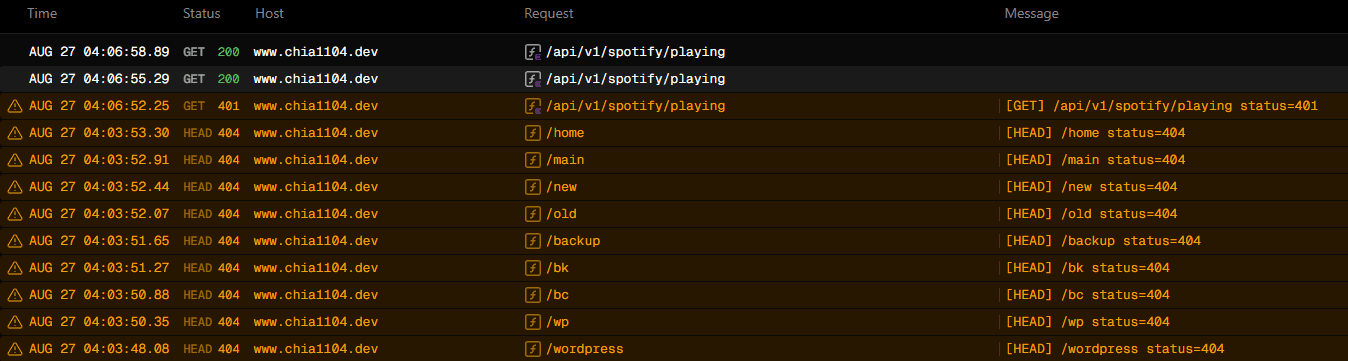
The path containing wp is clearly a WordPress path. My site, however, is built with Next.js and Hono, and there is no PHP code at all, so I was quite confused when I first saw these requests coming in.
After observing the traffic for a while, I found that many requests were targeting .php、.git、.env and similar paths. These are typical endpoints attackers use to probe for vulnerabilities, so later we will write firewall rules specifically to protect these paths.
At first, I did not think too much of it. I assumed the request volume was low and they were all GET requests, so it should not be a big deal. But over time, the number of requests started increasing, and I began to see the same logs on both my frontend and admin subdomains (www, dashboard). That was when I realized something was wrong. At peak, I saw more than 600 requests in a short period of time. It is still far from a real DDoS attack, but it was enough for me to turn on Vercel's Attack Challenge Mode.
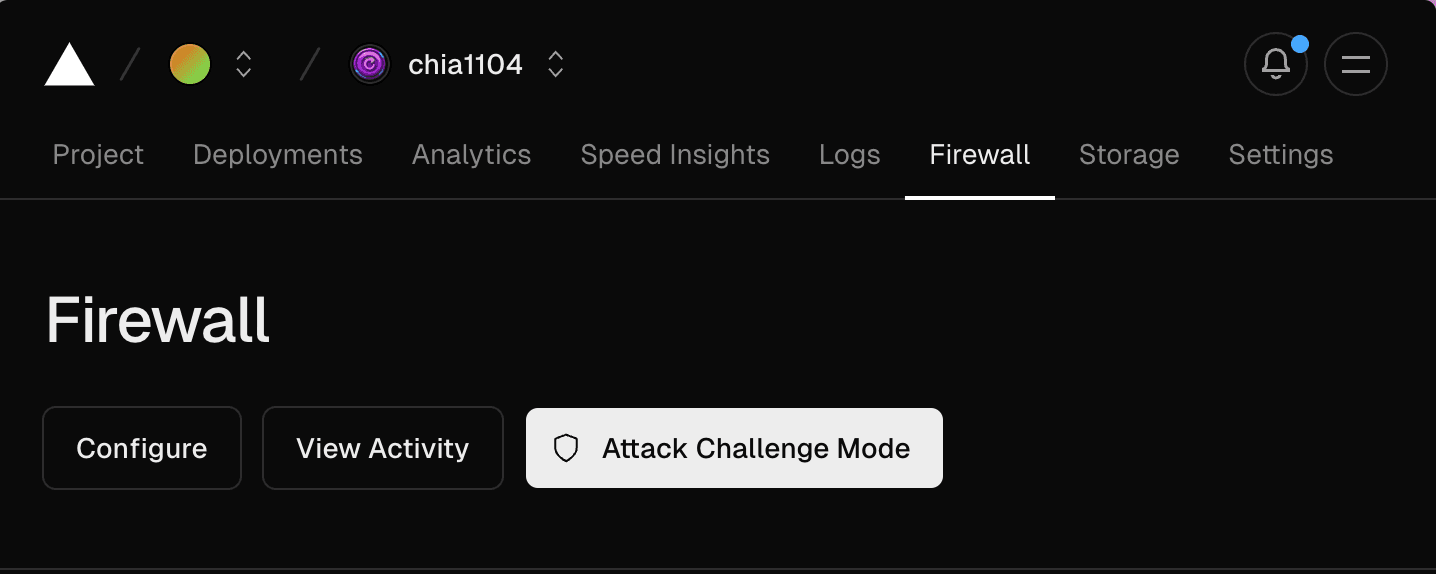
Initially, I tried to configure firewall rules directly in Vercel, but their options are relatively limited. For example, I wanted a rule like “always allow Google or Bing SEO bots and never challenge them”, but there was no such option. Cloudflare, on the other hand, provides a built-in known bot selector, which makes it much easier to avoid impacting SEO.

Cloudflare Protection Architecture
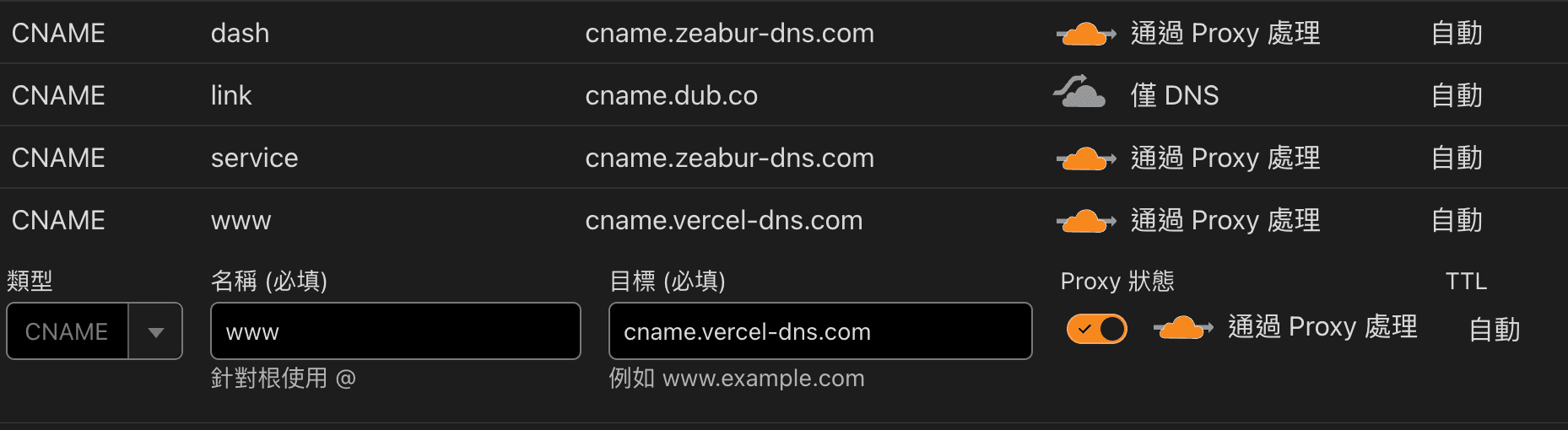
So I switched to using a Cloudflare CNAME proxy to rate‑limit the traffic, and tried to block abnormal requests by tuning the WAF rules.
Traffic Processing Order
When Cloudflare proxies traffic, it follows a fixed processing order. You can design your own rules according to this sequence.
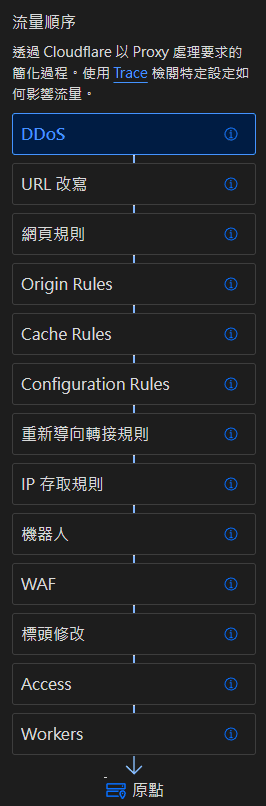
I mainly built my protection strategy from the following four layers:
- DDoS protection override
- IP access rules
- Bot management / bot mitigation
- WAF(Web Application Firewall)
DDoS Protection Override
A DDoS attack can slow down or even take down your service, and the number of requests to your origin can easily reach hundreds of millions per second in extreme cases. Cloudflare can help absorb and mitigate this type of attack.
Its automated DDoS protection continuously analyzes traffic and generates signatures in real time to mitigate volumetric and application‑layer attacks across the entire network.
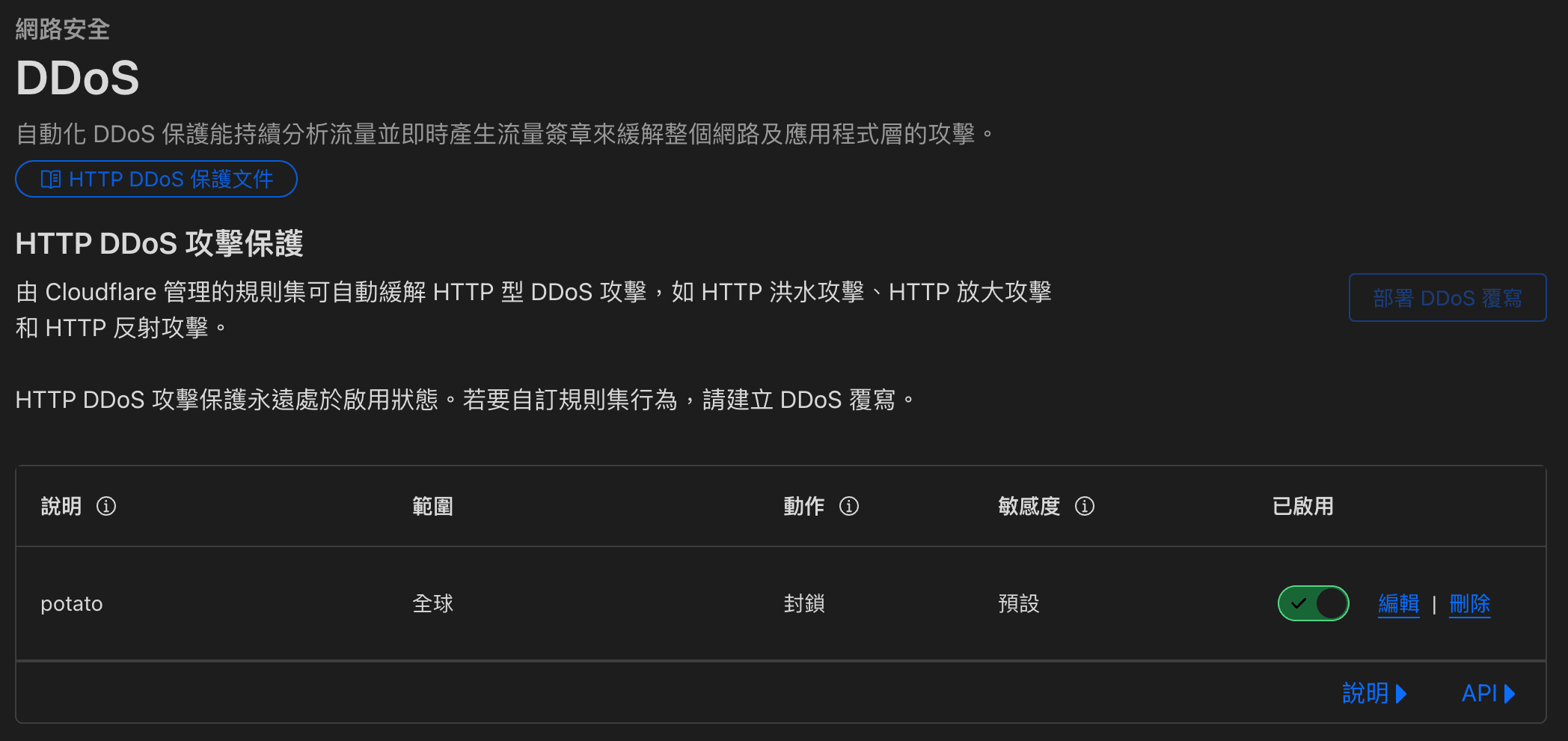
You can simply click Deploy DDoS overrides in the top‑right corner and configure how you want to handle DDoS traffic. In my case, I just enabled it.
IP Access Rules
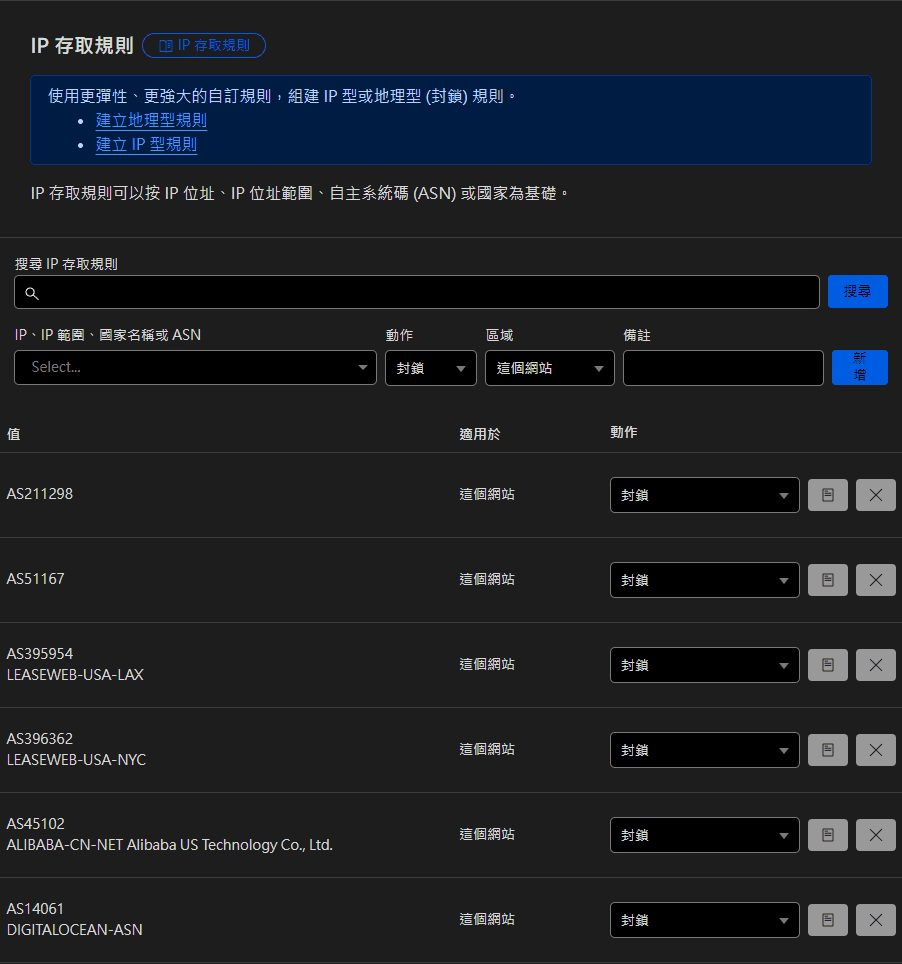
Here you can create rules targeting specific IPs, countries, or ASNs.
ASN
An Autonomous System (AS) is a large network or group of networks under a single routing policy. Each AS is assigned a unique ASN, which is its identifier. You can think of it like a business registration number for a company, except in networking most people only refer to the number itself. – What is an autonomous system? What is an ASN?
Blocking Strategy
I blocked several specific hosting providers directly by ASN. Why? Because if a real human is visiting your site, they are very unlikely to be browsing from a machine sitting in an AWS data center. So when I see that kind of traffic, I just put it on the blacklist.
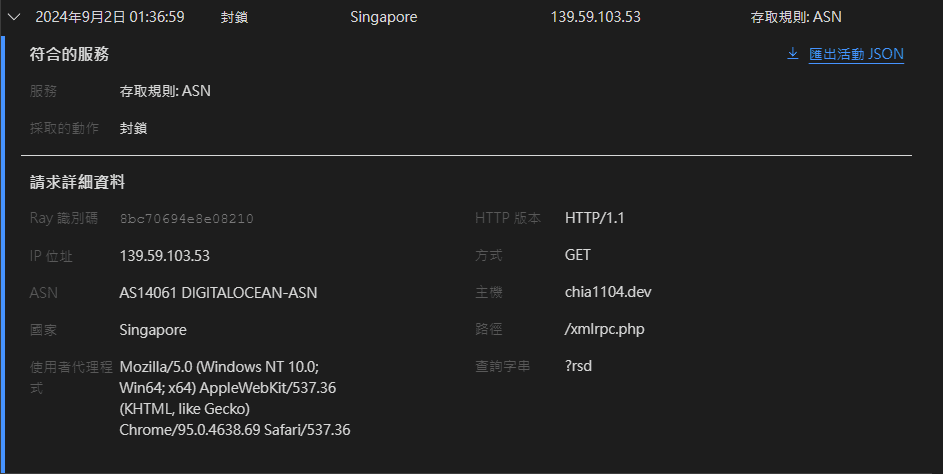
One note here: I recommend only blocking a small number of ASNs at this level, such as DIGITALOCEAN - AS14061. We still need to allow SEO bots from Google or Bing, and those can be handled with more granular conditions at the firewall layer.
Bot Management
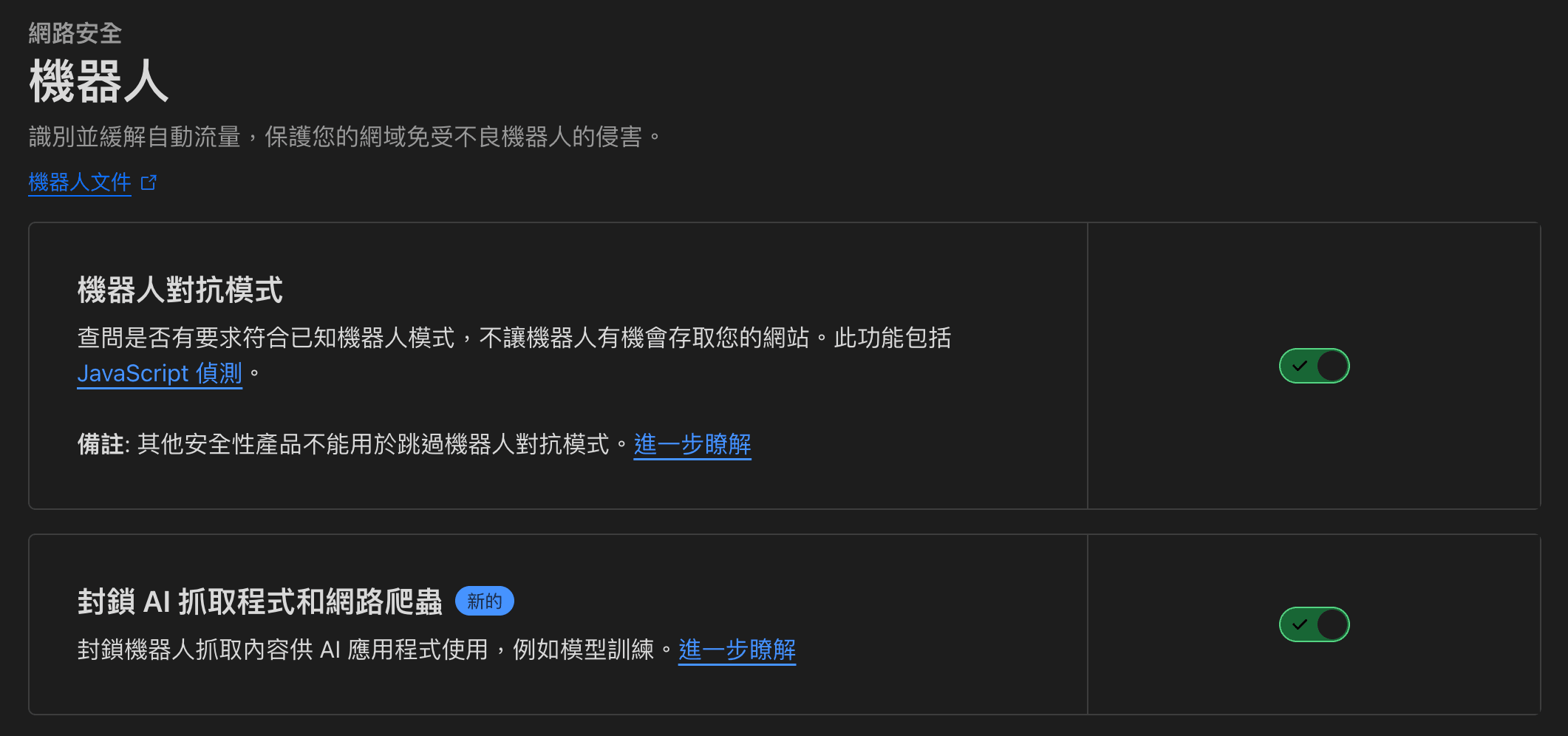
Cloudflare's bot management / bot fight mode is one of the main reasons I switched to it. It can automatically analyze incoming requests to determine whether they are likely to be bad bots.
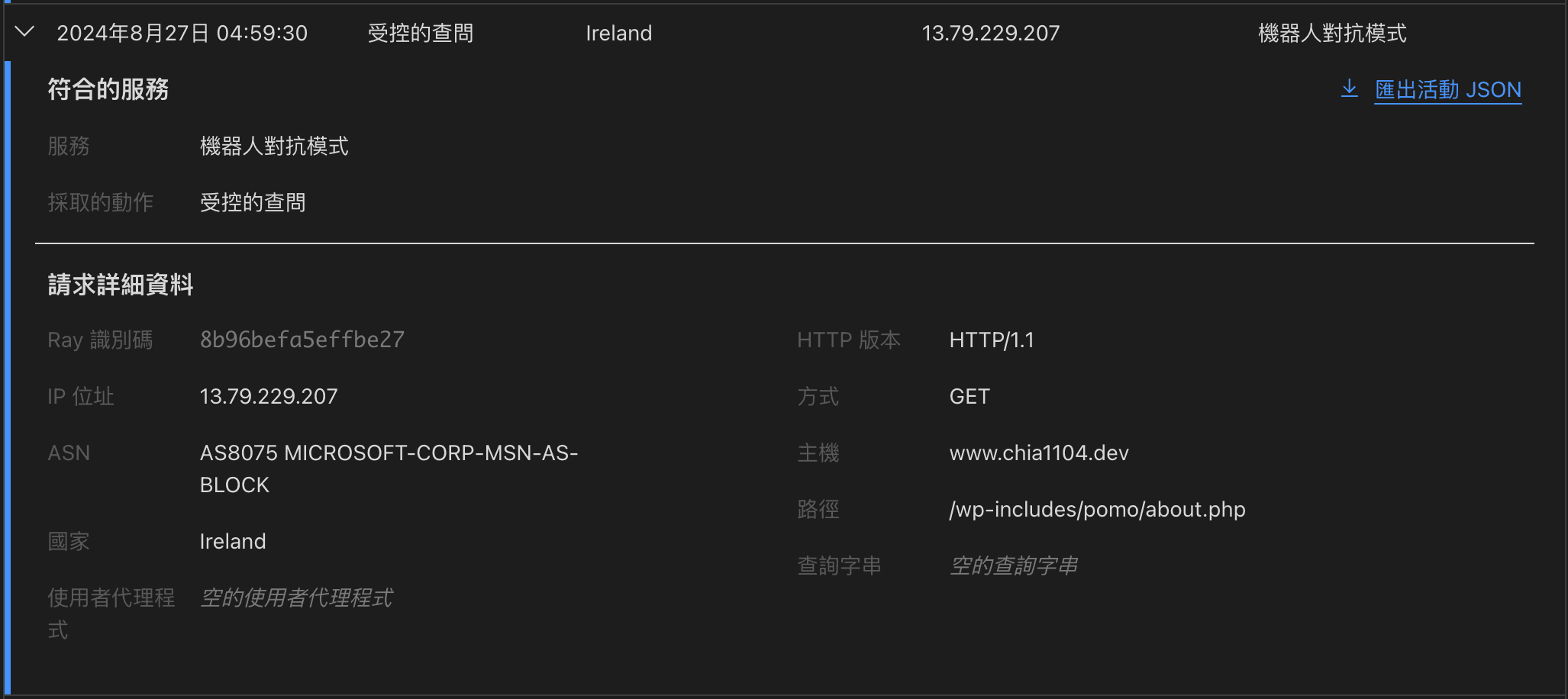
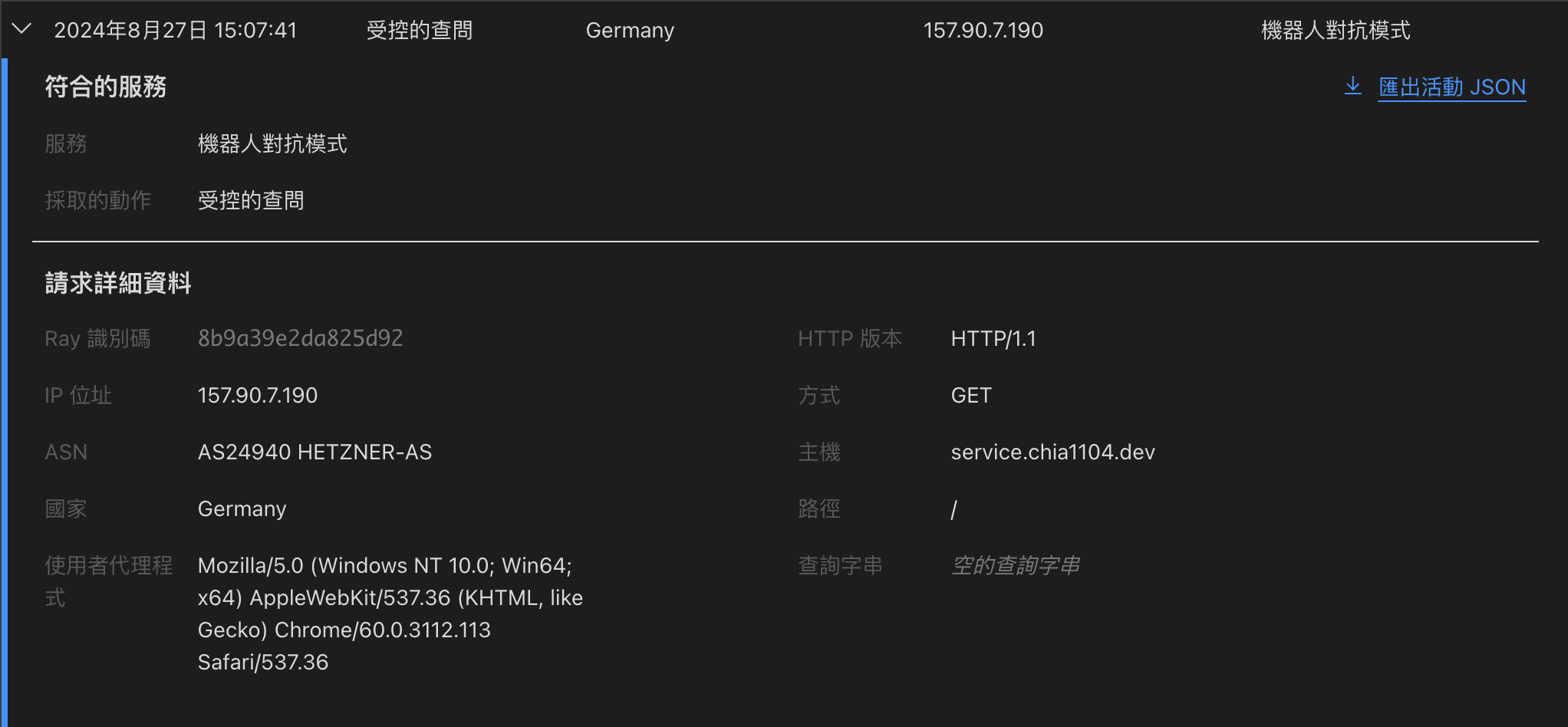
Looking at the two example requests above, only the first one has a clearly suspicious User-Agent. If you just skim the raw logs, you might not notice anything wrong with the second one. With Cloudflare's bot detection highlighting these suspicious requests for further verification, you can significantly reduce unnecessary traffic.
Machine-Learning-Based Detection
Cloudflare uses machine-learning models to identify more distributed IP-based attacks, especially those that rely on residential proxies. These are harder to detect because they use real residential IP addresses, but Cloudflare's models can pick up on their behavioral patterns
WAF (Web Application Firewall)
Finally, we come to the firewall rules. On the free plan, you can configure up to five custom WAF rules.
Here are the main rules I set up:
- Block abnormal request paths
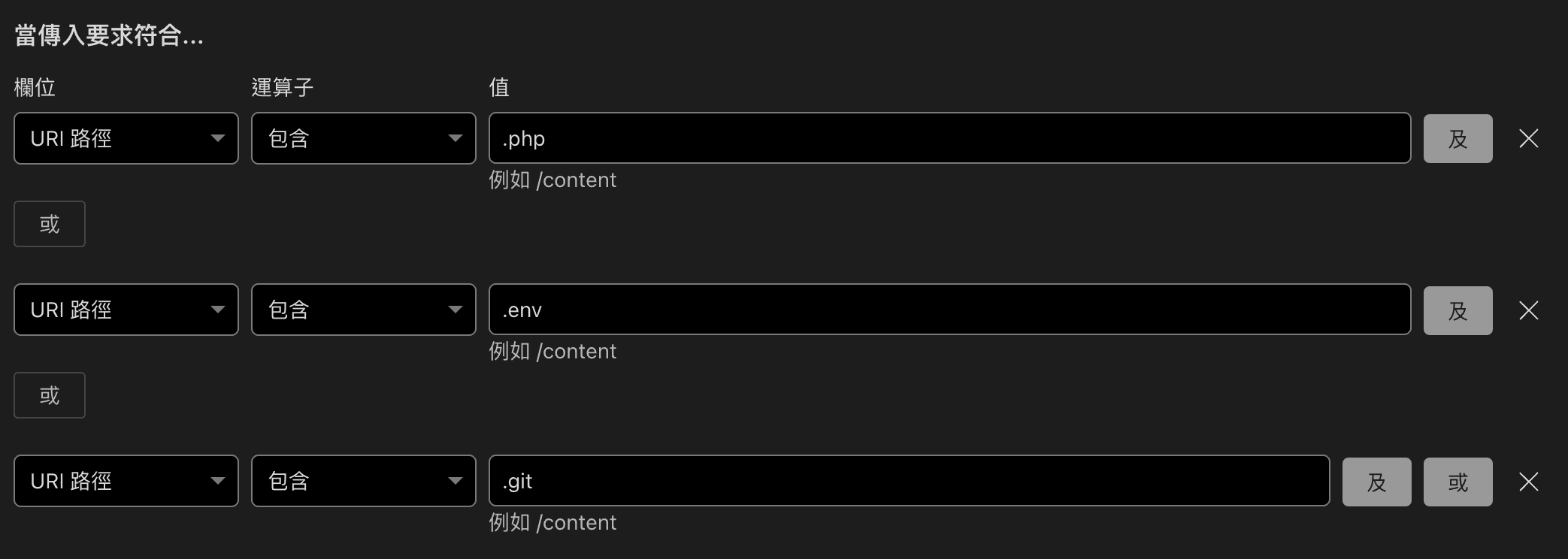
Most of the attack traffic this time was targeting .php paths. Even though my site does not serve any PHP pages, a constant stream of invalid requests will pollute your logs and skew third-party analytics. So I decided to block this type of request entirely.
- Filter traffic using the WAF attack score
cf.waf.score is a machine-learning-based score that evaluates how likely a request is malicious, ranging from 1 to 99. A score of 1 means it is almost certainly an attack, while 99 means it is almost certainly legitimate traffic
According to Cloudflare’s official documentation:
- 1 - 20 (Attack): Highly likely to be an attack
- 21 - 50 (Likely attack): Possibly an attack
- 51 - 80 (Likely clean): Possibly clean traffic
- 81 - 99 (Clean): Very likely clean
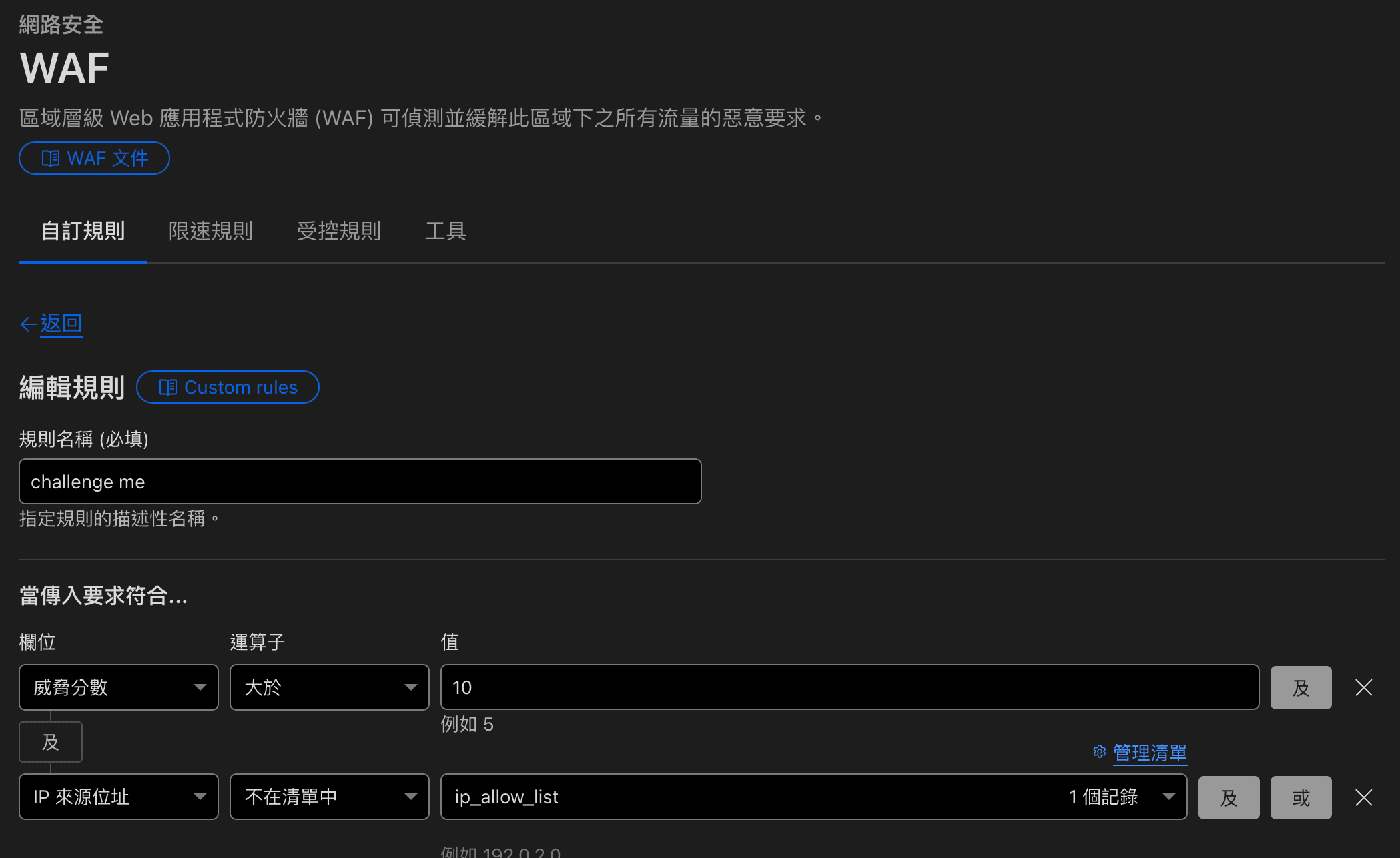
Important: The older cf.threat_score field has effectively been deprecated and no longer provides a meaningful score, so you should switch to cf.waf.score as your main signal.
A common recommendation is to challenge traffic with a score below 50 and consider outright blocking requests with a score of 20 or lower. In practice, you still need to monitor for false positives and make sure you are not blocking legitimate users.
- Block traffic by ASN
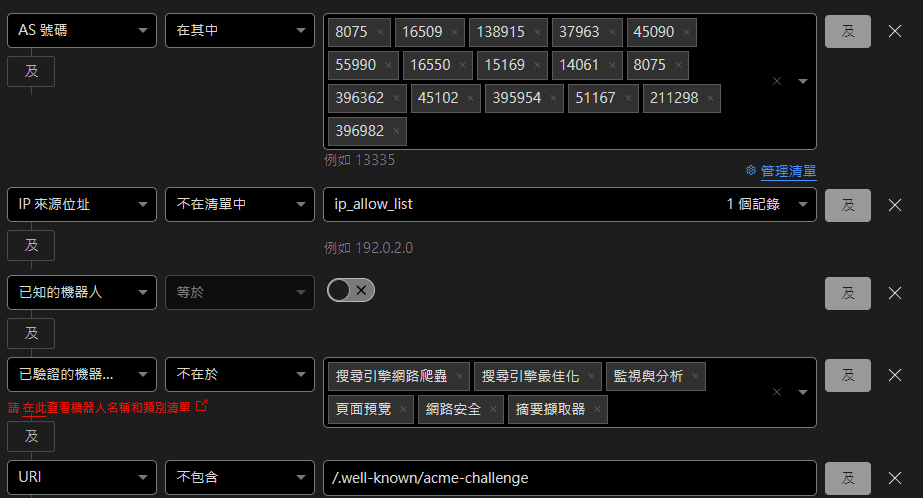
As mentioned earlier, you can refine your ASN rules here. For example, some common cloud providers:
| Name | ASN |
|---|---|
| MICROSOFT-CORP-MSN-AS-BLOCK (Azure) | AS8075 |
| AMAZON-02 (AWS) | AS16509 |
| GOOGLE-CLOUD-PLATFORM (GCP) | AS396982 |
One thing to remember: when writing these rules, always exclude known bots, because some SEO bots share ASNs with regular cloud infrastructure.
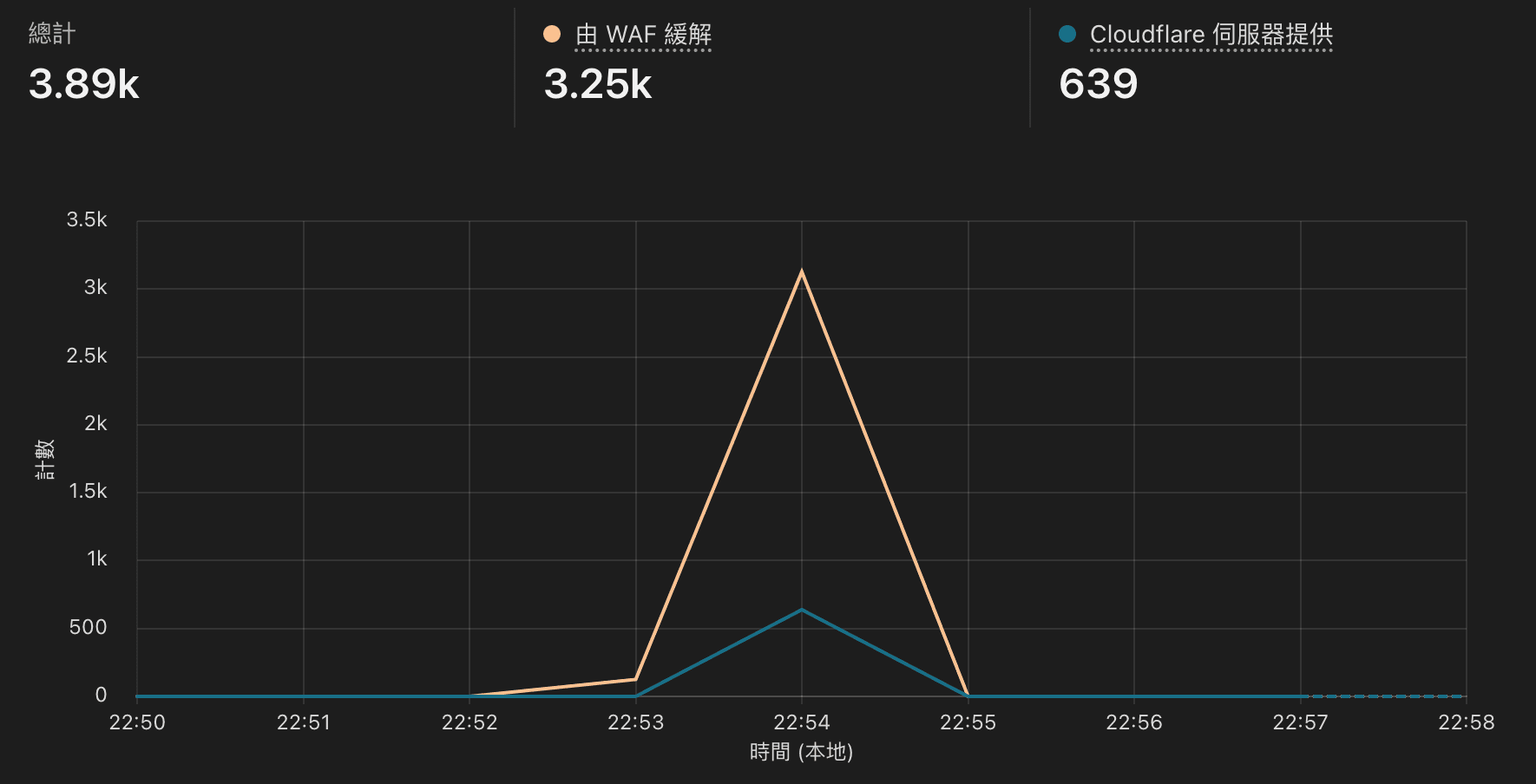
In my case, blocking by ASN turned out to be one of the most effective defenses. Even when bot-mitigation further up the chain could not filter everything, about 70% of the traffic that reached the WAF layer was dropped by this rule set.
Special Handling for ACME Challenge
In the WAF rules screenshot above, you may have noticed that I added a condition to check whether the request URL contains /.well-known/acme-challenge. This path is used by Vercel or Zeabur to renew SSL certificates.
SSL Certificate Verification
Vercel uses Let's Encrypt's ACME HTTP-01 challenge to verify domain ownership. When your certificate is about to expire, Vercel sends validation requests to <YOUR_DOMAIN>/.well-known/acme-challenge
You do not need to worry about this suddenly generating a huge spike of traffic, because these requests come from Vercel's own proxy infrastructure.
For more background, you can refer to:
Avoiding SEO Impact
Cloudflare's firewall rules let you identify and treat known bots differently.
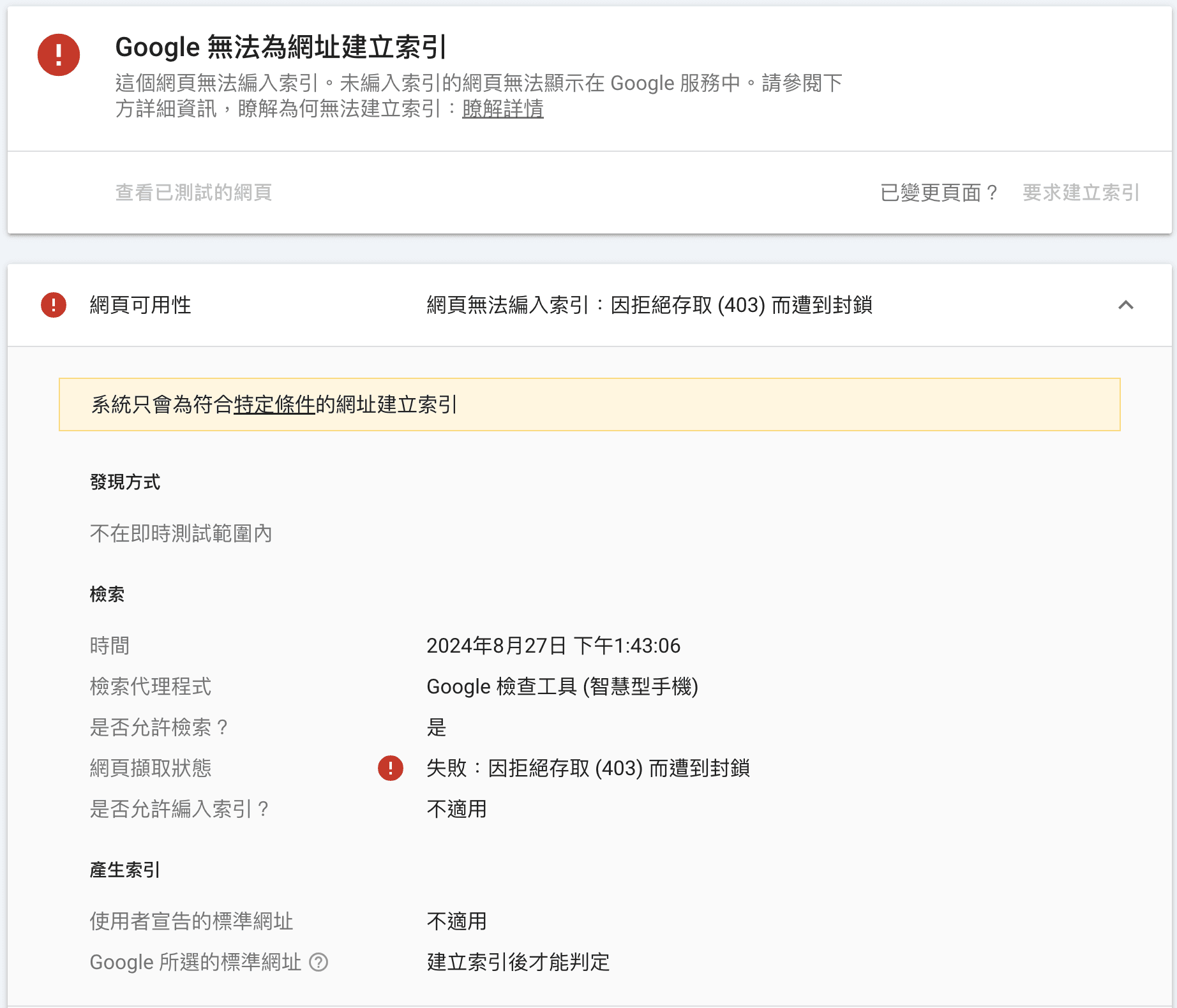
However, if you fail to properly allow SEO bots, they may receive 403 responses when trying to index your pages, which can hurt your search visibility.
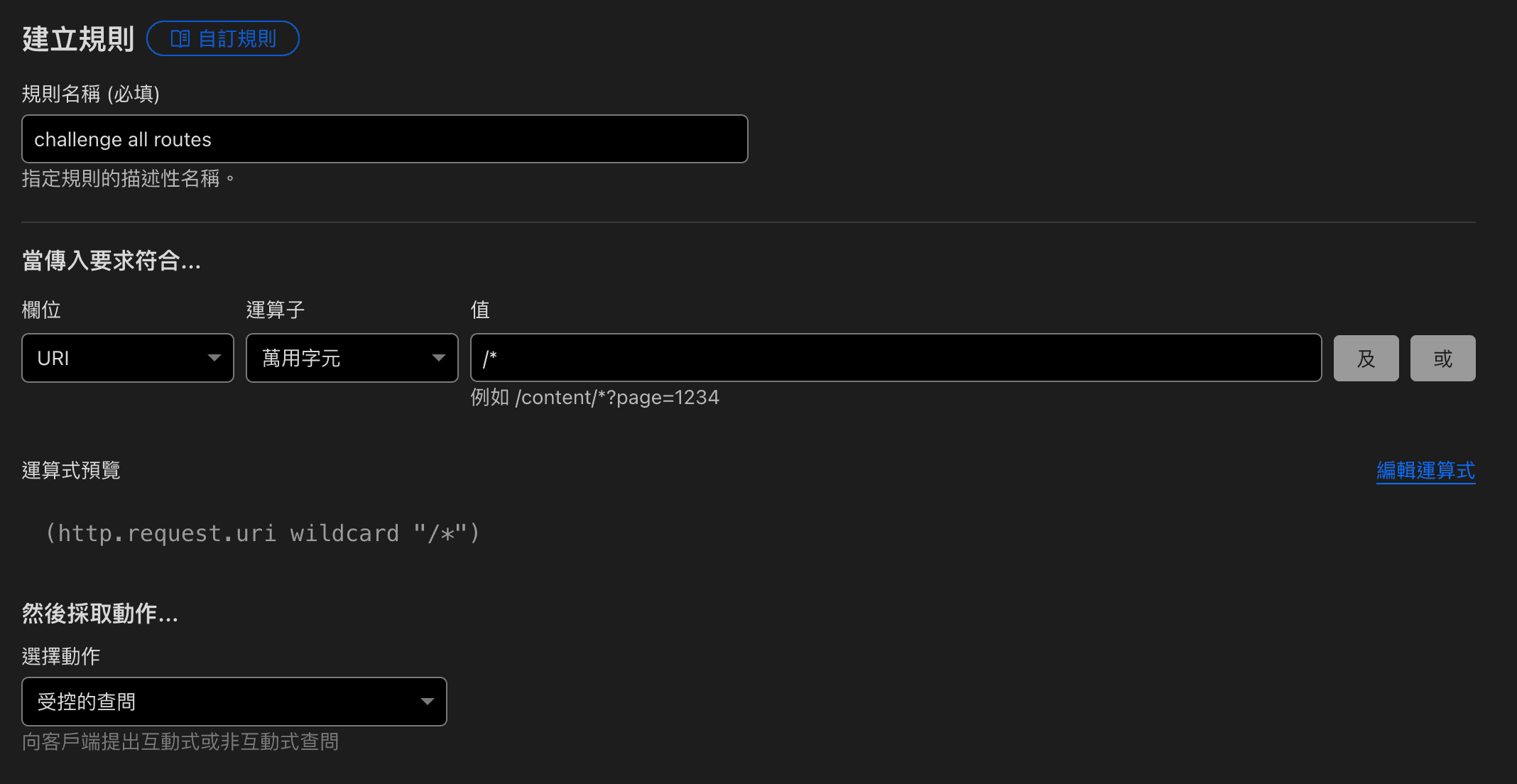
Incorrect configuration example
In this scenario, we wanted to challenge all routes. But this also caused SEO bots to be challenged, and when they attempted to index the site, Cloudflare responded with 403, preventing those URLs from being indexed.
Correct configuration
The fix is actually simple add a condition to skip challenges for known bots:
and not cf.client.bot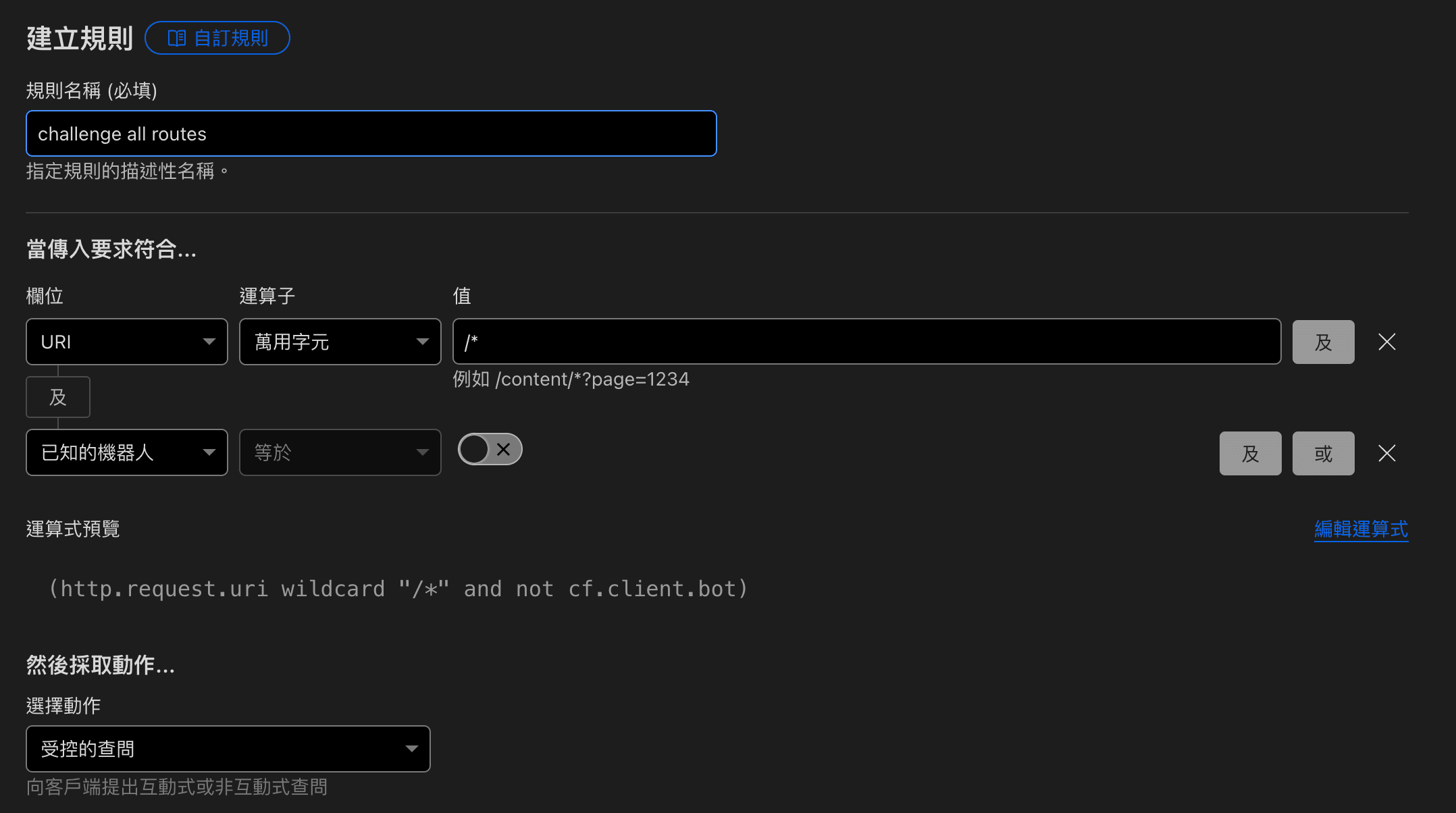
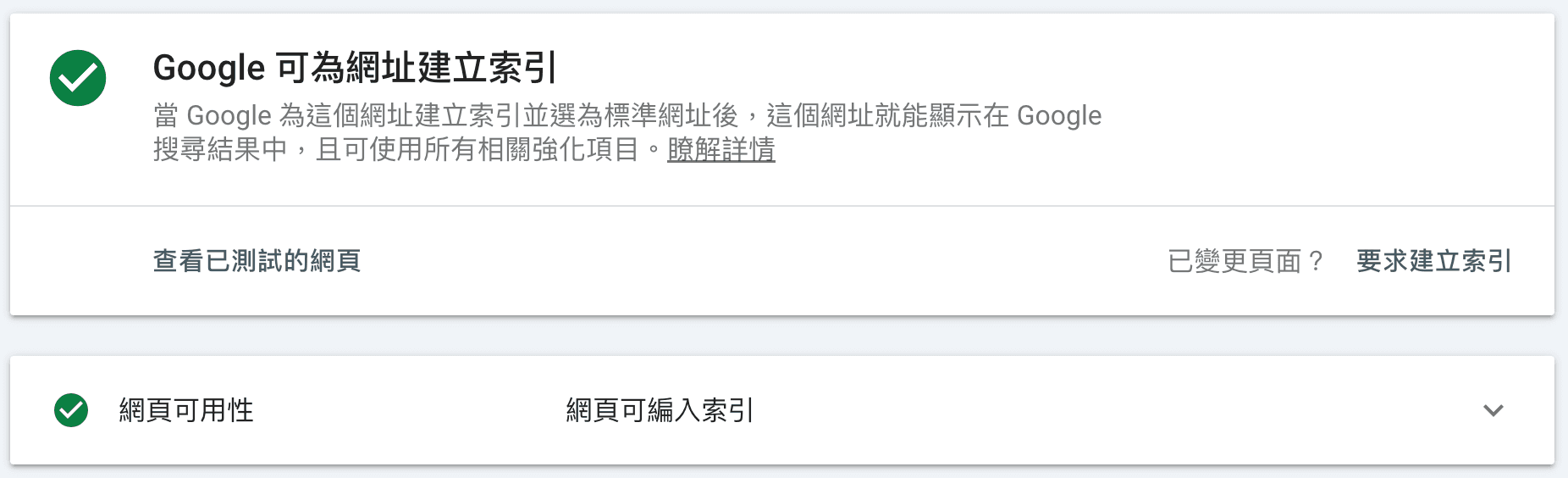
With this in place, normal users may still be challenged, but Googlebot and other recognized SEO crawlers can access your pages directly. You can verify whether a URL is being blocked or challenged using URL inspection in Google Search Console.
Conclusion
Up to now, I have mostly deployed web applications on PaaS platforms such as Zeabur or Vercel, where proxying and DDoS mitigation are largely handled for you behind the scenes. I did not spend much time digging into this layer before.
This incident gave me a good opportunity to experiment with different Cloudflare settings, strengthen my site's protection, and cut down on a lot of unnecessary traffic.
Written by: Chia1104 CC BY-NC-SA 4.0