Understanding React Hydration Errors in Next.js and 3 Reliable Ways to Prevent Them
Struggling with react-hydration-error in your Next.js app? This article breaks down how Hydration works in React, explains the difference between SSR and CSR in Next.js, and shares three practical solutions to fix Hydration Errors for smoother, error-free rendering.
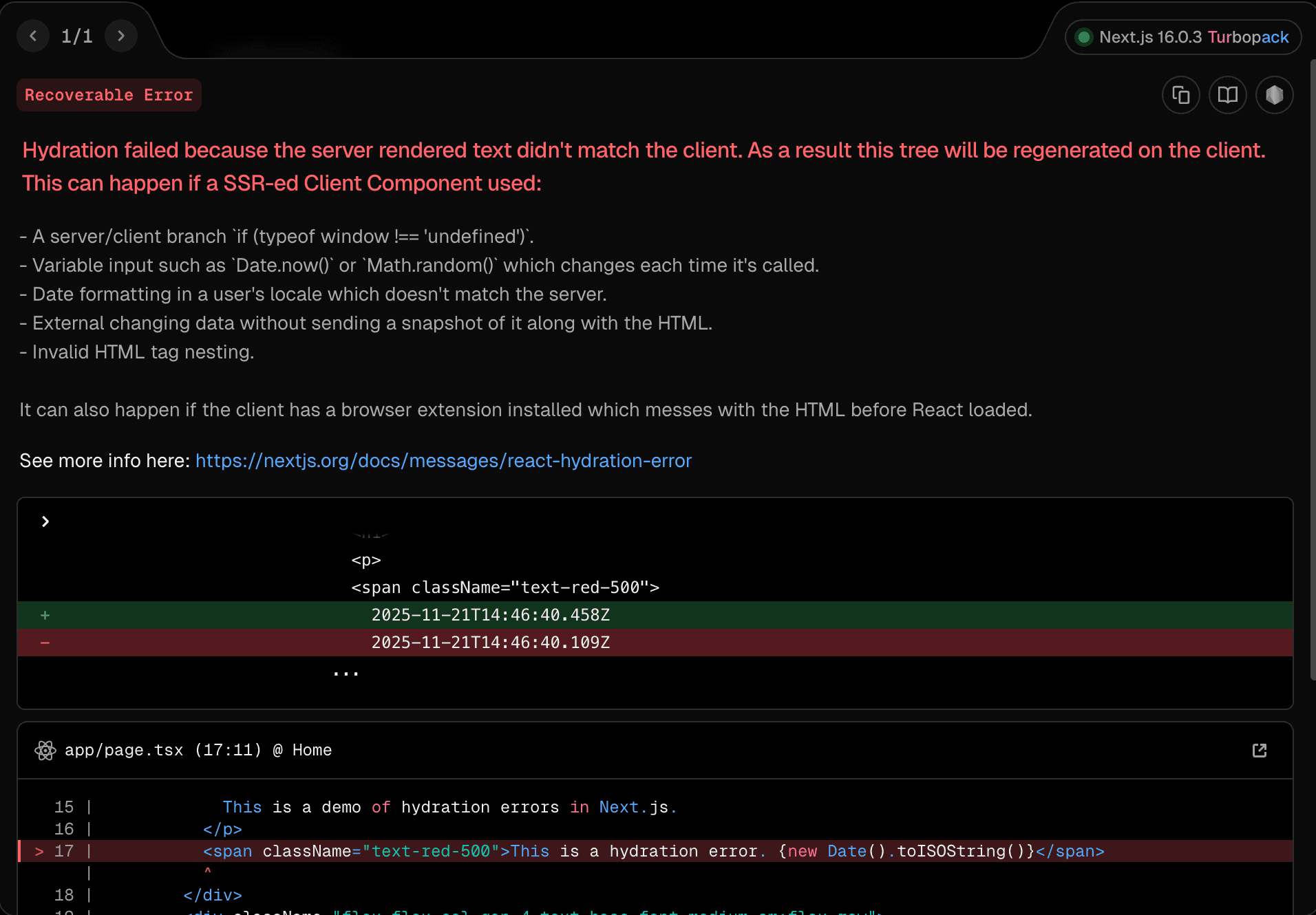
When developing NextJS projects, you've probably encountered errors like react-hydration-error.
Before explaining how to fix this issue, we need to first understand how NextJS handles SSR (Server-Side Rendering) and CSR (Client-Side Rendering).
Does NextJS Do CSR?
We all know that NextJS is a full-stack framework built on React, enabling SSR the React way.
However, unlike traditional full-stack frameworks such as PHP's Laravel, NextJS only pre-generates HTML for the very first page a user visits to perform SSR.
When navigating to other pages afterward, it behaves like a typical SPA (Single-Page Application) under the CSR concept — it loads only the necessary components without reloading the entire page. (NextJS Client-side Navigation)
React SSR
React provides server-side APIs to generate HTML, one of which is renderToPipeableStream.
This method allows React to gradually generate HTML and stream it to the client through a Node.js Stream.
import { renderToPipeableStream } from 'react-dom/server';

const { pipe } = renderToPipeableStream(<App />, {
  bootstrapScripts: ['/main.js'],
  onShellReady() {
    response.setHeader('content-type', 'text/html');
    pipe(response);
  }
});Process Overview
- Server-side Rendering (SSR): React generates HTML on the server.
- Streaming HTML: As parts of the HTML are ready, they are streamed to the client immediately.
- Browser Rendering: The browser starts rendering received HTML and loading JavaScript assets.
- Hydration: React converts the static HTML into interactive React components — this process is known as hydration.
How Hydration Works
We mentioned earlier that the first render is static HTML. But how does it become interactive through React APIs like useState?
hydrateRoot
After completing SSR and sending static HTML to the client, React can use hydrateRoot to turn that HTML into interactive React elements.
const root = hydrateRoot(domNode, reactNode)domNode: Corresponds to the root element in the pre-rendered HTML.reactNode: The React component that generated that HTML.
import { hydrateRoot } from "react-dom/client";
import App from "./App";

hydrateRoot(document.getElementById("root"), <App />);
This process of combining pre-rendered HTML from the server with the client-side React app — giving it interactivity - is called Hydration.
Both Server and Client Render Once
From the hydrateRoot method, you can see that it runs on the client side to render the UI. At the same time, NextJS uses renderToPipeableStream to pre-render HTML during SSR.
The content passed to hydrateRoot must exactly match the pre-rendered HTML; otherwise, a react-hydration-error occurs.
Hydration Error
As seen in the process above, React ensures that the HTML generated on both server and client sides match. If they differ when calling hydrateRoot, a Hydration Error is triggered.
The most common example is time handling — especially time zones: The server usually runs in UTC (+0), but the user's browser follows the local time zone.
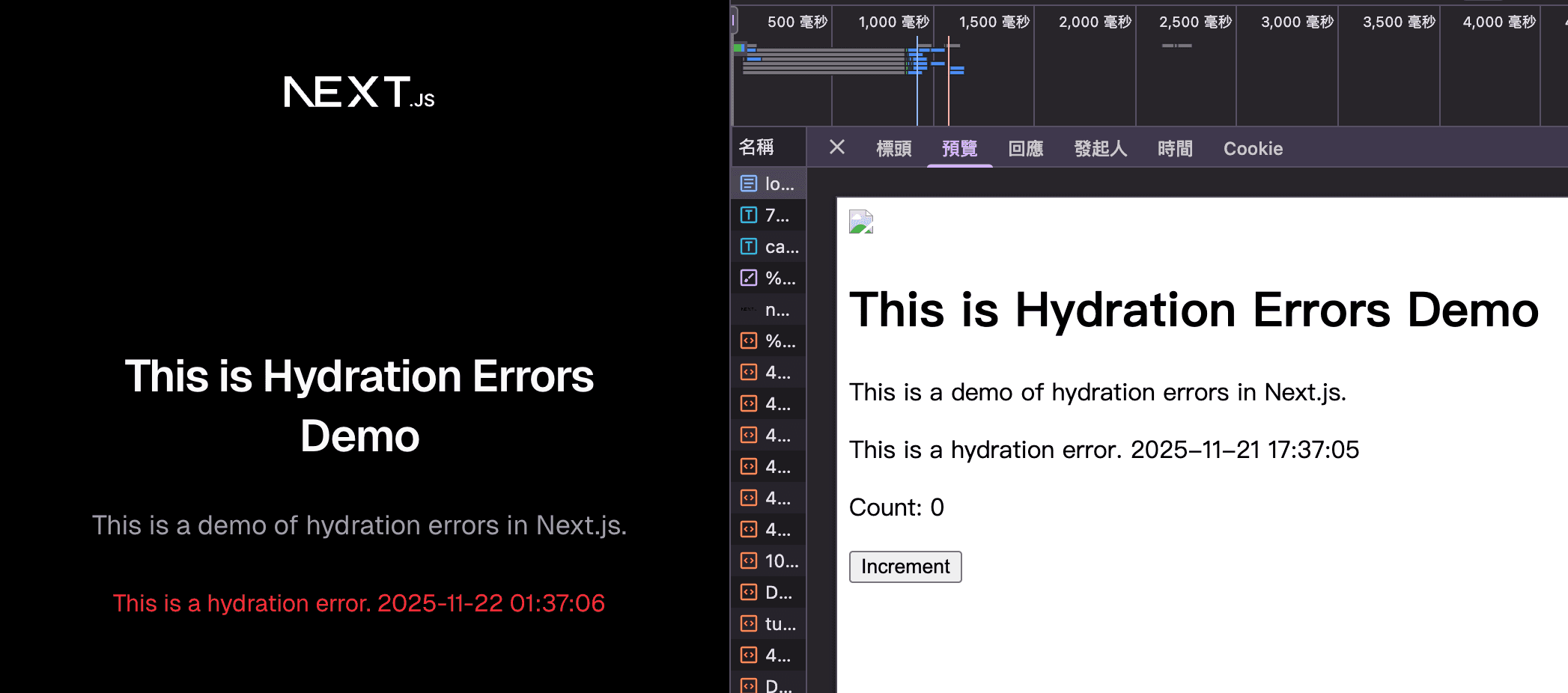
Besides time zone issues, using browser-only APIs like localStorage can also trigger Hydration Errors, since the server doesn't have access to localStorage.
Solutions
- Use
useEffectto Detect Client Side
"use client";

import { useState, useEffect } from 'react'

export default function App() {
  const [isClient, setIsClient] = useState(false)

  useEffect(() => {
    setIsClient(true)
  }, [])

  return <h1>{isClient ? 'This is never prerendered' : 'Prerendered'}</h1>
}
Since useEffect runs only in the browser environment, the initial isClient value (false) remains the same in both server and client DOM trees — avoiding Hydration Errors.
The key is ensuring initial values on both server and client match.
- Use NextJS
dynamicwith ssr:false
You can use NextJS's dynamic API to mark components that don't need pre-rendering. That means both SSR rendering and client hydration are skipped.
import dynamic from 'next/dynamic'

const NoSSR = dynamic(() => import('../components/no-ssr'), { ssr: false })

export default function Page() {
  return (
    <div>
      <NoSSR />
    </div>
  )
}- Use
suppressHydrationWarning
This prop suppresses Hydration Error warnings. It's commonly used with libraries like next-themes. When you have DOM elements that depend on client-side dynamic values unavailable on the server, you can use this prop to silence mismatched hydration warnings.
<html colorSchema="dark" suppressHydrationWarning />Written by: Chia1104 CC BY-NC-SA 4.0